Here we have collected answers to some of the most frequently asked questions. Remember that you can change language of the login window to english!
1. I can't log in. What do I do?
2. Why can't I receive a one-time code via email when I try to log in?
3. Why can't I receive a one-time code via email when I register a new user?
4. What is swedish BankID?
5. Who can log in to watch the films?
6. How do I know when new reports have arrived?
7. How do I report a problem?
8. Other questions
1. I can't log in. What do I do?
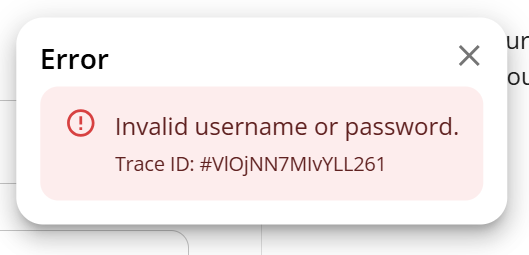 In most cases, you can solve your login problem yourself.
Here are the most common reasons why you can't log in:
- You have forgotten your password.
- Reset your password via the link in the login window.
- You have used the wrong email address.
Assuming your organization has a subscription, your service email must usually be used.
- Check that you have not misspelled or accidentally used your private email address.
It is the organization's email domain that is linked to the 90 sekunder play subscription and gives you permission to log in.
- If you, as an employee, do not have a work email linked to your organization, you can ask your employer to contact our support.
- You have just registered a new user.
It may take a short while from registration until the system is updated.
- Wait a minute and try again.
- Your organization does not have an active subscription.
- Contact your employer and ask if your organization has a 90 sekunder play subscription.
2. Why can't I receive a one-time code via email when I try to log in?
- You have not registered a user account.
- Click the "Register user" button in the login window. Use your work email that is linked to your organization. (The organization must have a 90 sekunder play subscription).
- The email has ended up in spam.
- Check if the email has ended up in the spam folder in your email program.
- Strict security settings in your organization's email server.
- Contact your organization's IT department and investigate whether the email with the one-time code is getting stuck in the mail server's spam filter or similar.
3. Why can't I receive a one-time code via email when I register a new user?
- Your user account already exists. You have already registered with this email on a previous occasion.
Instead of a one-time code, you will receive an email with the text:
"An attempt to register an account with this email address has been observed.
If an account is already linked to the address, you can restore access via the Reset password function in the login portal.
If you did not initiate this attempt yourself, you do not need to take any action."
- Try logging in and if you have forgotten your password, you can click the "Reset password" button in the login window.
- The email has ended up in spam.
- Check if the email has ended up in the spam folder in your email program.
- Strict security settings in your organization's mail server.
- Contact your organization's IT department and investigate whether the email with the one-time code is getting stuck in the mail server's spam filter or similar.
4. What is swedish BankID?
BankID is a Swedish electronic identification system that is used to identify yourself and sign digitally at swedish banks, authorities and companies.
BankID must be activated at your bank before the steps below can be followed..
Unfortunately it is not likely that BankID will work outside Sweden.
- Register a new user with BankID login. (Assuming you have an active swedish BankID):
If you are completely new to 90 sekunder play and have not created a new user before:
- Go to the login window at https://90sekunderplay.mcf.se/
- Select "REGISTER NEW USER"
- Select "Register using BankID"
- Follow the instructions
- Link BankID to my existing user account. (Assuming you have an active swedish BankID):
If you have previously registered to log in with email, you can later link your BankID to your existing user account:
- Go to https://login.msb.se/myapps/
- Log in with your login details to 90 seconds Play (You can then see which tools you have permission to).
- Click on the "Add BankID" button.
- Follow the instructions.
- Login with BankID.(Assuming you have an active swedish BankID):
After a user is registered and linked to BankID you can use it to log in:
- Go to 90 sekunder play (https://90sekunderplay.mcf.se/) Or click on "Log in" at the top of this page.
- Select "Log in usingBankID"
- Log in with your BankID app (If you do not have BankID on your device, you can scan the code from the BankID app on your mobile phone)
5. Who can log in to watch the videos?
90 sekunder Play is a subscription service aimed at blue light authorities. This means that your rescue service/organization must have a subscription for you as an employee to have permission to log in.
In addition to the organization's subscription, you are required to register as a user with your work email.
For the organization: Order a subscription.
- Contact the 90 sekunder support team: 90sekunder@mcf.se
For you as an employee: Register a user.
- Go to 90 sekunder play (https://90sekunderplay.mcf.se/) Or click on "Log in" at the top of this page.
- Select "REGISTER NEW USER". (Remember to use your work email)
- Follow the instructions.
6. How do I know when new reports have arrived?
- You can subscribe to the newsletter.
We will notify you, in swedish, when new reports have arrived in our newsletter Nytt från 90 sekunder, which comes about 10 times/year.
Unfortunately, the newsletter is only available in Swedish.
Start a subscription to Nytt från 90 sekunder
- You can visit the 90 sekunder play page at regular intervals.
New reports are published on the first Monday of each month, with the exception of July and August.
7. How do I report a problem?
If you are unable to resolve your problem, you can either call or email us.
In order for us to be able to help you in the best way possible, it would be helpful if you could provide a detailed description of the problem.
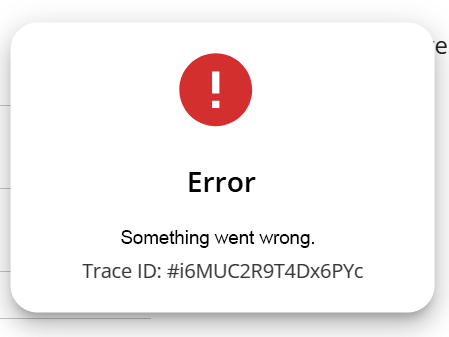 If you have received an error message of any kind, it would help us if you could attach a screenshot of the message or enter the Trace ID.
8. Other questions
If you have not found the answer to your question or have other concerns, you are welcome to contact our support.
Telephone (9:00-11:00 weekdays)
+46 10 240 51 00
Email
90sekunder@mcf.se